
Overwatch 2 Visuals
Visual Options
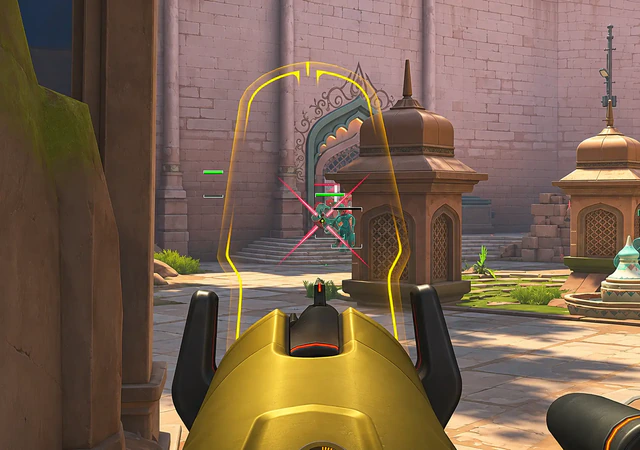
Fifteen visual options: player info, skeleton, ultimate charge overlay, glow modes, view angle, 2D, 3D, and cornered boxes, lines, FOV drawings, and target highlighting. Visuals display information. They do not move the crosshair.
- Player Info, Skeleton, Ult Charge Overlay, and Enemy View Angle are readouts.
- Glow, Glow HP Indicator Mode, and Glow Rainbow Mode are highlight styles, not extra wallhack types.
- 2D Box, 3D Box, and Cornered Box are three box styles.
- Draw FOV and Draw FOV 2 show aim FOV. They are not FOV Adjustment.
- No radar, loot filter, or cooldown ESP is named in this category.
Recursos listados
- Player Info
- A listed readout for player information. The listing does not itemize every text field inside it.
- Skeleton
- A listed skeleton drawing. It is a visual, not an aimbot.
- Ult Charge Overlay
- A listed overlay for ultimate charge. It does not add cooldown timers that are not named here.
- Glow
- A listed highlight. It is not a separate wallhack category.
- Glow HP Indicator Mode
- A glow mode tied to health indication. Exact color stops are not published.
- Glow Rainbow Mode
- A listed rainbow glow mode.
- Enemy View Angle
- A listed visual for an enemy view angle. It does not move your crosshair.
- 2D Box
- A flat box around a target.
- 3D Box
- A depth box around a target. Separate from 2D Box and Cornered Box.
- Cornered Box
- A corner-style box. Separate from 2D Box and 3D Box.
- Lines
- A listed line drawing toward targets.
- Draw FOV
- Draws an aimbot FOV. This is a visual, not the FOV Adjustment control itself.
- Draw FOV 2
- A second FOV drawing, paired with separate aim settings.
- Visual Options for Every ESP Setting
- Each ESP setting has its own visual options. This is not an extra ESP type.
- Target Highlighting
- A listed highlight for the current target.
Artigos relacionados
The 15 visual options, and the ESP claims this listing does not make.
What Player Info and Skeleton are allowed to mean when the listing does not itemize every text field.

Glow, Glow HP Indicator Mode, Glow Rainbow Mode, and Target Highlighting as separate visual names.